


Three things to know before you send
First, an address belongs to a network. The same USDT exists on Tron, Ethereum, BNB Smart Chain, Solana, Arbitrum and more, and each network has its own addresses. The sender and the receiver must use the same network, so always get the network from the receiver together with the address.
Second, some deposits need a memo or tag in addition to the address. Exchanges use it to know which customer a deposit belongs to on networks such as TON or XRP. If the receiving page shows a memo, it is mandatory.
Third, blockchain transfers cannot be reversed. There is no bank to call and no chargeback. Every check you make before pressing send is worth more than any help you can get afterwards.
Sending USDT from an exchange, step by step
- On the receiving side, open Deposit, choose USDT and pick a network. Copy the address, and the memo if one is shown.
- On the sending exchange, open Withdraw, choose USDT and select exactly the same network.
- Paste the address. Compare the first six and last six characters with the original; never type an address by hand.
- Enter the memo if the receiver gave one.
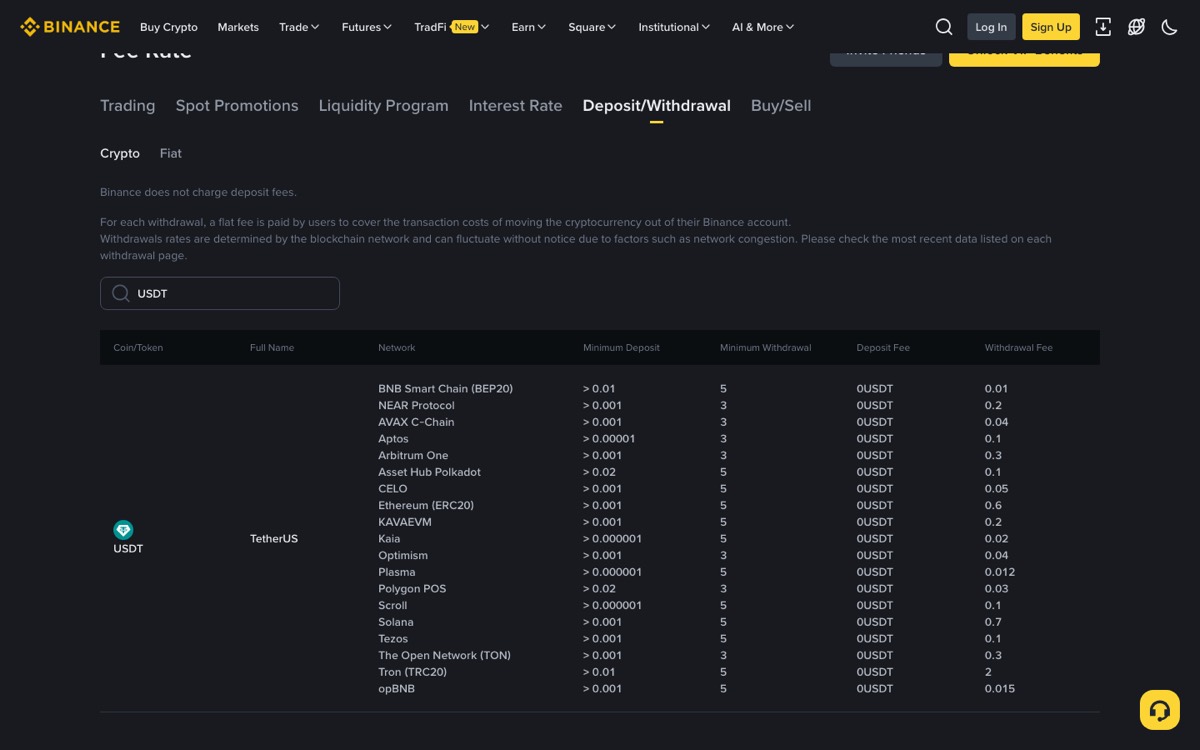
- Check the fee and the amount the receiver will get. The fee is fixed per network, so it matters most for small transfers.
- Send a small test amount first. When it arrives, send the rest.
Sending to a friend or a merchant
When someone asks you to send them USDT, ask for two things in writing: the address and the network. If they say only 'my USDT address', ask which network, because the same app can show different addresses for different networks. If the person uses the same exchange as you, many exchanges offer internal transfers by email, phone or user ID, which are instant and free and avoid network mistakes entirely.
Be careful with requests that arrive in chat. Scammers send addresses that look almost identical to a real one, and malware can replace an address you copied with the attacker's. Confirming the first and last characters, and sending a test, protects you from both.
Following a transfer on the blockchain
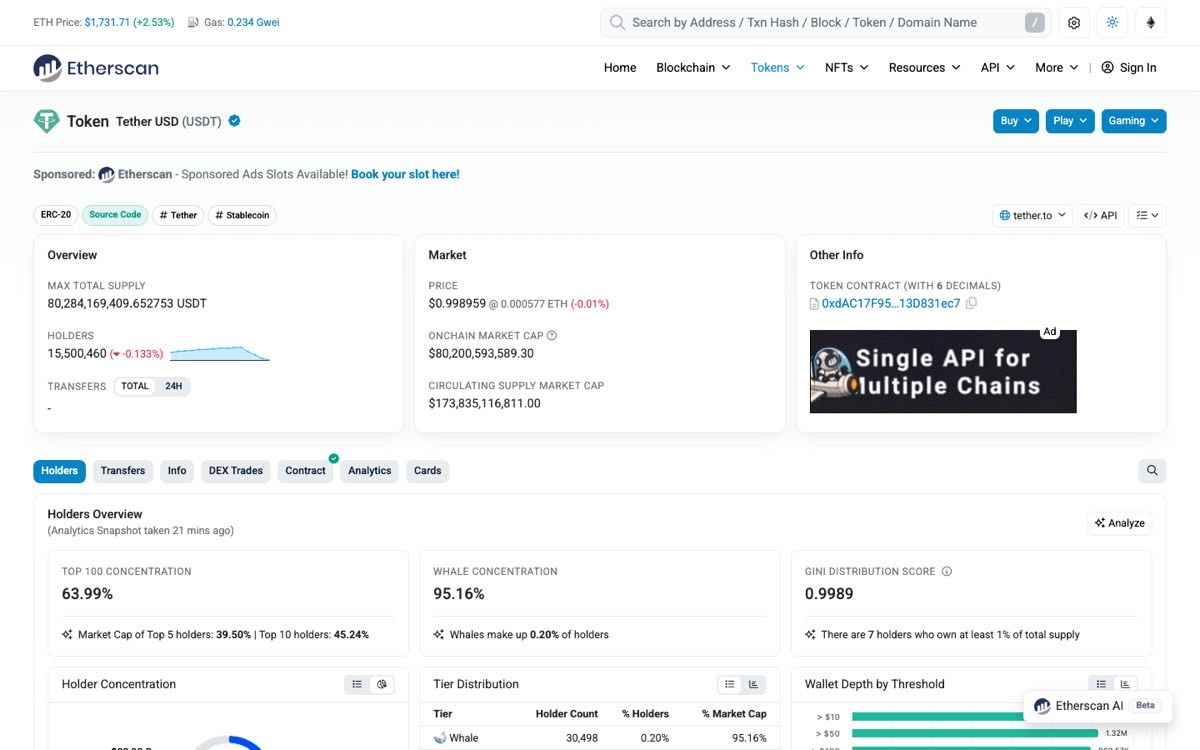
After you send, the exchange shows a status: pending or processing while it prepares the transfer, then completed once it is broadcast, with a transaction ID (TxID). The TxID is the receipt. Paste it into the block explorer of the network, such as Tronscan for Tron, Etherscan for Ethereum or BscScan for BNB Smart Chain, to see the amount, the receiving address and the number of confirmations.
The receiving exchange credits the deposit after a set number of confirmations, which takes from under a minute to around twenty minutes depending on the network. If the explorer shows the transfer as successful and to the right address, the money has left; any delay is now on the receiving side.
The deposit has not arrived: check these in order
- Still confirming: the explorer shows the transfer but with too few confirmations. Wait; it will be credited automatically.
- Stuck at the sender: the withdrawal still shows processing on the sending exchange. New accounts and new addresses often trigger a security review. Wait or ask the sender's support, not the receiver's.
- Wrong network: you sent on a network the receiving exchange supports, but chose a different one than the address was for, or the receiver does not support that network at all.
- Missing or wrong memo: the money reached the exchange's address, but the exchange cannot tell which customer it belongs to.
- Unsupported token: you sent a different token than USDT, or USDT on a network the receiver does not list.
- Deposits suspended: the receiving exchange paused deposits on that network for maintenance. Check its announcements; deposits usually credit when it reopens.
- Below the minimum: some exchanges ignore deposits under a minimum amount until more arrives.
Fixing a missing memo
A forgotten memo is the most recoverable mistake. The funds are in the exchange's wallet; it only needs to know they are yours. Most large exchanges have a self-service form for deposits without a memo, or a support ticket where you provide the TxID, the amount, the network, the time and a screenshot of the withdrawal record from the sending side. Expect a review that can take days, and sometimes a recovery fee.
Recovering a wrong-network deposit
If you sent on the wrong network, what happens depends on the addresses. Many networks such as Ethereum, BNB Smart Chain, Arbitrum and Polygon use addresses of the same format, starting with 0x. If you sent USDT on BNB Smart Chain to an Ethereum deposit address at an exchange that also supports BNB Smart Chain, the exchange controls that address on both networks and can often recover the funds through support, usually for a fee.
If the receiving exchange does not support the network you used at all, recovery is harder and sometimes impossible. A self-custody wallet that controls the same key can usually see the funds by adding the network; an exchange may decline. Ask support anyway, with full details, and accept that the answer may be no.
People who contact you offering to recover lost crypto for an upfront fee are scammers. Recovery only ever happens through the exchange that received the funds, or through your own wallet.
What to put in a support ticket
- The TxID and a link to it on the block explorer.
- The network, the token, the exact amount and the time of the transfer.
- The receiving address and the memo, if any.
- A screenshot of the withdrawal record on the sending side, showing the TxID.
- A short, factual description: what you intended to do and what happened.
Address poisoning: a modern trap
Scammers watch the blockchain for wallets that move USDT. They then send your wallet a tiny transfer from an address that starts and ends with the same characters as one you use, hoping you will copy it from your history next time. The fix is simple: never copy an address from your transaction history. Use an address book entry you saved yourself, or copy it fresh from the receiving side each time.
Sending from a self-custody wallet
A self-custody wallet works differently from an exchange: you pay the network fee yourself, in the network's own coin. To send USDT on Tron you need some TRX in the same wallet; on Ethereum, some ETH; on BNB Smart Chain, some BNB. A wallet holding only USDT cannot send it. Keep a small amount of the native coin for fees, and check the fee estimate before you confirm, because it changes with network traffic.
Wallets also let you add tokens manually by contract address. Only use the contract address from the issuer's official site or a trusted explorer: fake tokens named USDT exist on every network, and they have no value.
A quick comparison of costs
Imagine you send 100 USDT from one exchange to another. On a network that costs 1 USDT to withdraw, the receiver gets 99. On one that costs 0.1 USDT, they get 99.90. On a network that costs several dollars, a tenth of the amount could disappear. Fees are fixed per transfer, so one larger transfer is cheaper than many small ones, and a test transfer is worth its small fee only on the first use of a new address.
Fees also differ between exchanges for the same network. Our transfer fee table compares them, so you can pick the cheapest network that both sides support before you start.
Common myths about stuck transfers
- Sending again will push the first one through: it will not. You will only have two transfers to track.
- The blockchain can cancel a transfer: it cannot. Once confirmed, a transfer is final.
- Support can see your money instantly: the receiving exchange needs your TxID and details to find it, especially without a memo.
In short
Get the address and the network together from the receiver, add the memo when one is shown, check the first and last characters, and send a test first. If a deposit is missing, find the TxID, look it up on the explorer, and work through the list above before contacting support with complete details. Most stuck deposits are recoverable; none are recovered by strangers who promise to help for a fee.