


 Binance −20% Fee Discount
Fee table, referral discount and a step-by-step sign-up guide written for your market.
Affiliate link: we may earn a commission at no extra cost to you. Our fee tables are the same for every exchange.
Spot Maker / Taker
0.100%/ 0.100%
Futures Maker / Taker
0.020%/ 0.050%
Coins Listed
400+
Established
2017
Binance (Established 2017): One of the largest exchanges by trading volume, with P2P markets in many local currencies.
Fee, rebate and network data last checked on 2026-11-27. Exchanges change their fees — always confirm on the exchange before trading. Availability differs by country — check that an exchange is permitted where you live before signing up.
How to open a Binance account, step by step
A complete walkthrough from the first screen to your first USDT: what to prepare, how to register so the fee discount applies, which security settings to switch on, how verification works and how to fund the account. It takes about 20 minutes, most of it spent on identity verification.
Before you start
Binance.com does not serve every country. Residents of the United States must use the separate Binance.US, and several other countries are served by a local Binance company or not at all. Open the Terms of Use on binance.com and read the list of restricted locations before you register. If your country is on it, stop here: an account opened with a false country is usually frozen at the first withdrawal.
Have these ready: an email address you control and protect with two-factor authentication, a phone that can receive SMS, a valid passport, national ID card or driving licence, and a quiet, well-lit spot for the selfie check. Decide now how you will pay in local currency, because that decides which features you will use first.
- Use your real name exactly as it appears on your ID.
- Use only one account per person: duplicates break the terms and can be closed.
- Install the app only from the link on binance.com or the official app store page.
Step 1: Create the account
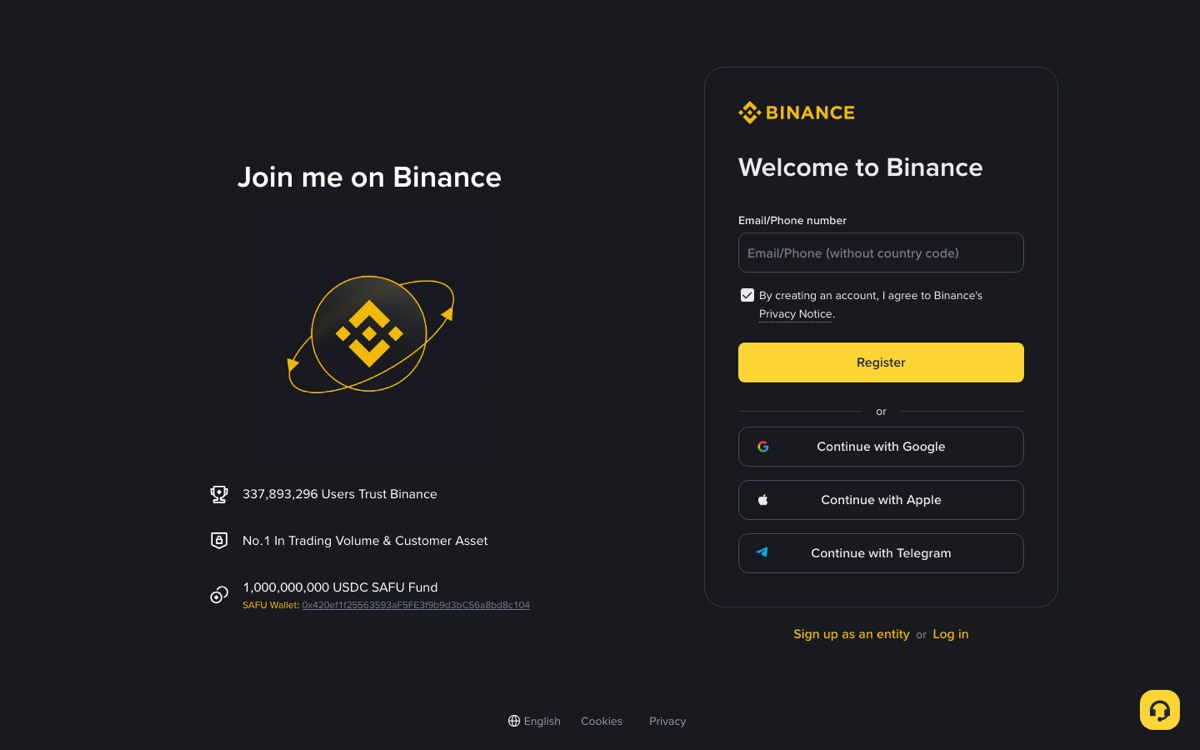
- Open the sign-up button on this page. It carries the referral, so finish registration in the same browser tab.
- Enter your email address or phone number, or continue with Google or Apple.
- Type the six-digit code Binance sends you. It expires after a few minutes, so request a new one if it does.
- Choose a long, unique password that you do not use anywhere else, and store it in a password manager.
- If the form shows an optional referral field, check that it contains the code shown below before you continue.
Binance · −20% Fee Discount
The discount comes with the link: open it and finish sign-up in the same tab.
Affiliate link: we may earn a commission at no extra cost to you. Our fee tables are the same for every exchange.
Step 2: Secure the account before adding money
Open Account, then Security. Switch on an authenticator app (Google Authenticator, Microsoft Authenticator or similar) and, if your device supports it, a passkey. Passkeys cannot be typed into a fake site, which makes them the strongest protection against phishing.
Set an anti-phishing code: a short word that Binance will add to every real email it sends you. An email without your word did not come from Binance. Finally, switch on the withdrawal whitelist so that funds can only leave to addresses you approved in advance.
Tip
Write the authenticator backup key on paper and keep it with your documents. Without it, a lost phone means a long recovery process with support.
Step 3: Verify your identity
Binance requires identity verification before you can deposit local currency, use P2P or withdraw. Open the verification page, confirm your country of residence, and fill in your full name, date of birth and address. Then photograph both sides of your document and complete the short face scan.
Most checks finish in minutes, but some take a day or two. Rejections usually come from glare on the document, a cropped corner, a blurry photo or a name that does not match exactly. Retake the pictures in daylight on a dark background, with the whole document inside the frame.
Step 4: Fund the account and buy USDT
Which methods appear depends on your country. The common ones are P2P, where you pay another user through your bank or a payment app while Binance holds their USDT in escrow; card purchases, which are instant but often cost a few per cent; and bank transfers in the local currency where Binance supports them.
For a first purchase, start small. Buy a modest amount, then practise one small withdrawal to the wallet or exchange you plan to use, so you learn the process before larger sums are involved. Read our P2P safety guide before your first P2P order: pay only through the order page and never release funds on the strength of a screenshot.
Check that the referral is linked
The fee discount only exists if the referral was recorded when the account was created. After registration, look in the account menu for the referral or rewards section; it usually shows whether you were invited. If you see nothing within a day or two, contact support early, because referrals can rarely be added weeks later.
The discount is set by Binance's current programme and applies to eligible trades. Our fee calculator shows what it is worth at your trading volume, which for a one-off purchase is often small.
Common problems
- No verification code arrives: check spam, wait a minute, then resend once. Repeated requests can trigger a temporary lock.
- Country not supported: do not use a VPN to get around it. Use a platform that is legally available where you live.
- Verification rejected: read the reason, retake the photos and make sure your name matches the document exactly.
- Card payment declined: many banks block crypto purchases. Try P2P or a bank transfer instead.
Frequently Asked Questions
Is a Binance account free?
Yes. Opening and keeping an account costs nothing. You pay trading fees when you trade and network fees when you withdraw.
Can I add a referral code after signing up?
Usually not. The referral is recorded when the account is created, so open the referral link before registering and finish in the same tab.
Do I need to verify my identity?
Yes, to deposit local currency, use P2P or withdraw. Binance verifies identity to meet anti-money-laundering rules.
How long does verification take?
Often a few minutes, sometimes up to a few days when a manual review is needed.
Can I use Binance.com from the United States?
No. US residents are served by the separate Binance.US, and Binance.com refuses US accounts.
Head-to-head comparisons
Compare Lowest-Fee Crypto Exchanges (Up to 20% Fee Discount)
| Exchange | Spot Maker / Taker | Futures Maker / Taker | Fee Discount | Open Account |
|---|---|---|---|---|
| Binance |
0.100% / 0.100% | 0.020% / 0.050% | −20% | Claim Discount → |
 OKX |
0.080% / 0.100% | 0.020% / 0.050% | −20% | Claim Discount → |
 Bybit |
0.100% / 0.100% | 0.020% / 0.055% | −20% | Claim Discount → |
 Gate.io |
0.100% / 0.100% | 0.020% / 0.050% | −20% | Claim Discount → |